Spellai - AI Art Maker
- 3.8
- Rating
- 1.00M
- Installs
- Free
- Price

 Analysis by App-foxy
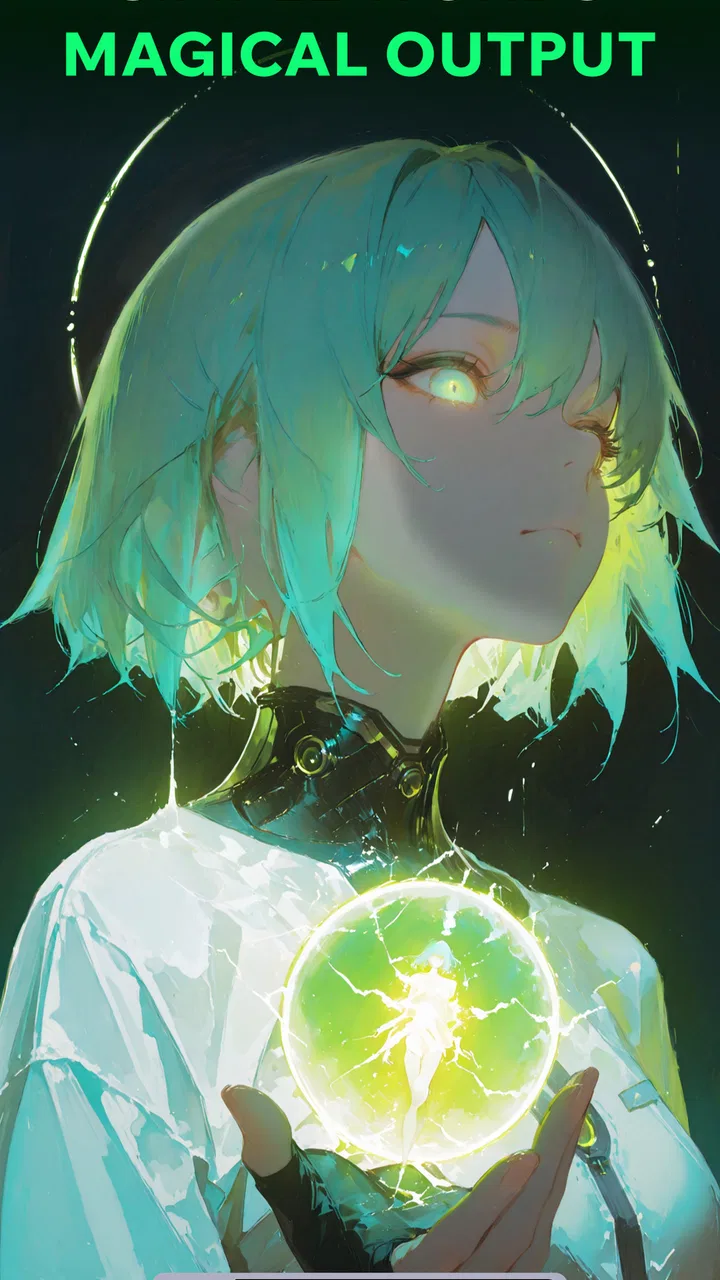
I approached Spellai - AI Art Maker as a practical creative tool rather than a novelty generator. It sits in the art and design category, but its role is broader than making a single picture: the experience brings together text-to-image creation, image-to-video work, and an AI chat function. That combination makes it interesting for people who want to move from a rough idea to a visual result without opening several separate apps.
My first impression was that Spellai is aimed at experimentation. You describe an idea, guide the result, and then decide whether the image is worth refining, animating, or using as a starting point for another prompt. It is not a replacement for drawing software, photo editing, or professional production tools. Instead, I see it as a fast sketchbook for visual concepts, especially when I know the mood I want but do not yet have the technical skill or time to create it manually.
The app is free to install, which makes trying the basic experience fairly easy. It comes from POLYVERSE INC. and has built a sizeable audience, with more than a million installs and an average rating of 3.8 from roughly thirty-three thousand ratings. Those figures suggest a product people are actively exploring, while the rating also tells me to keep expectations realistic: this is useful creative software, but it will not satisfy everyone.
You May Also Like

 Blood Strike: 2.5 Anniversary
Blood Strike’s Loadouts Turn Every Drop Into a Tactical Gamble
A close look at Blood Strike’s custom loadouts: how fast access to signature weapons reshapes its battle royale rhythm, rewards preparation, and narrows the gap between fights.

 Pandora - Music & Podcasts
Pandora’s Music Is Easy to Start, but Harder to Recover
Pandora’s strength is its low-effort path from a seed to a station. Its weak spot is how much confidence it asks you to place in connection, setup, and quiet recovery.

 8 Ball Pool
 Is Built on Rivalries, Rematches, and Routine
A close look at the rivalries, rematches, shared routines, and unanswered safety questions that turn a quick pool match into a persistent mobile community.

 Samsung Music
’s Quiet Strength Is Playing What You Already Own
Its reach comes less from spectacle than from dependable access to a personal library. That simplicity is both the app’s strongest retention engine and its ceiling.

 AccuWeather: Weather Radar
AccuWeather Review: A Quick, Clear Forecast for Everyday Decisions
For everyday plans, the best forecast is the one you can understand quickly. AccuWeather makes rain timing, radar, and local conditions easy to act on, with a few trade-offs.

 Hill Climb Racing
Why Hill Climb Racing Still Turns Crashes Into One More Run
A tiny car, a bumpy hill and one more upgrade: Hill Climb Racing keeps resurfacing because its simple chaos makes every near-miss feel personal.
More From Our News Desk



How I would decide whether Spellai fits
I’d judge Spellai by whether it helps me return to creative work after the first burst of curiosity. A useful test is to choose one small project, keep its images and prompts organized, and see whether the app earns a place in that routine rather than just producing a few entertaining surprises. From there, I’d weigh its ongoing convenience against the control a dedicated editor offers.
Start with the kind of work you actually want to make
The most important question is not whether AI art sounds appealing. It is what you expect to do after the first generated image. If you want quick concept art for a personal project, visual prompts for social posts, character ideas, mood boards, or playful transformations of your own images, Spellai makes sense. If you need precise lettering, exact product proportions, layered editing, or repeatable brand assets, I would begin with a conventional design app instead.
That distinction matters because generated images are strongest when the goal is expressive rather than exact. A prompt such as a dark fantasy street, a dreamy landscape, or a stylized portrait gives the system room to interpret. A request for a specific logo with perfectly readable text and strict spacing demands control that an AI generator is not designed to provide consistently. I found the best results came from treating the output as a creative draft, not as a finished technical document.
Think about your tolerance for trial and error
Spellai rewards users who are willing to revise an idea. The first prompt is rarely the final answer, and the useful skill is learning how to describe the subject, atmosphere, composition, and visual direction in a way the app can understand. I prefer short, deliberate changes over rewriting everything each time. Changing the lighting, camera angle, clothing, or background separately makes it easier to see what improved the result.
This also gives the chat component a practical purpose. Rather than treating AI chat as a separate novelty, I would use it to develop a vague concept into a more useful image prompt. For example, if I only know that I want an inviting illustration for a reading corner, I can work through the mood, colors, objects, and perspective before asking for the image. That workflow is more effective than repeatedly typing “make it better” and hoping for a dramatic improvement.
Remember that mobile convenience has a trade-off
Creating on a phone is convenient, particularly when inspiration arrives away from a desktop. I can test an idea during a short break, save a visual direction for later, or turn a personal photo into a starting point for motion. The smaller screen is less comfortable when I need to compare many variations or inspect fine details, though. For serious selection and finishing work, I would still move the chosen result into a dedicated editor.
The app supports Android devices from version 7.0 onward, so it can reach a wide range of phones. The current release is version 2.0.4. In practical terms, I would still expect the experience to depend on the phone’s screen, storage, connection quality, and general performance. A newer device is likely to feel more comfortable for repeated creation, especially when working with larger visual results or video-oriented tasks.
Where the combined workflow is genuinely useful
Spellai’s strongest idea is the path from words to still images and then from images to moving content. Many creative apps handle one stage well but leave the user to find another tool for the next stage. Here, I can begin with a written concept, explore a visual direction, and consider whether that image deserves motion. That reduces friction for quick experiments.
A realistic everyday example would be planning a small event invitation. I might use the chat feature to shape a visual theme, generate a background with enough open space for later text, and then test a short animated version for a digital announcement. I would not ask the app to produce the final invitation if the wording must be perfect. I would use it to create the atmosphere, then add the actual details in a layout tool where text placement is under my control.
Another useful case is personal storytelling. Someone writing a short scene can generate a visual reference for the setting, then try an image-to-video treatment to see whether the scene feels calm, dramatic, or mysterious in motion. This is not the same as producing a complete film, but it can help an idea become easier to discuss with collaborators or easier to revise before investing in a larger project.
Small workflow choices that improve the results
One of my most useful habits is to separate the subject from the style. I first describe what must be present, then add the visual treatment. This makes it easier to spot whether a weak result comes from an unclear subject or an overly ambitious style request. I also avoid filling one prompt with too many competing instructions. A focused image usually gives me a better base for later changes.
For image-to-video work, I would choose a picture with a clear main subject and a simple composition. Busy scenes leave more room for unwanted movement or visual confusion. A portrait with a strong silhouette, a landscape with a defined foreground, or an object against a clean background gives the motion process a clearer starting point. The trade-off is that a simpler source image may feel less spectacular, but it is often easier to guide.
I also recommend keeping the original image separate from edited or animated versions. That sounds obvious, but it is important when an experiment goes in the wrong direction. The original can become the stable reference for another attempt, while the altered copy can be used for more adventurous tests. This is especially helpful when I am comparing several moods rather than trying to perfect one result immediately.
Where Spellai stands out from ordinary art apps
Traditional drawing and design apps give me direct control over brushes, layers, selections, typography, and positioning. That control is their main advantage, but it also means I have to supply the visual labor. Spellai reverses that balance: I provide direction, and the system supplies much of the initial image. For brainstorming, that is a major time saver. For precision, it is a limitation.
Compared with a basic photo editor, Spellai is better suited to changing the creative idea behind an image rather than simply correcting exposure, cropping, or color. Compared with a dedicated animation tool, its appeal is the quick jump from a still image toward motion, while a specialist editor remains the better choice for timing, keyframes, sound, and detailed control. I would choose between these categories based on the stage of the project, not on the assumption that one app can replace all of them.
It is also different from a pure chatbot. The conversation is useful when it helps me clarify a visual goal, but the real value comes from connecting that discussion to image creation. If I only want written brainstorming, a general chat service may be simpler. If I want a visual result without much setup, Spellai has the more direct path.
Limitations I would want you to know before installing
The first limitation is predictability. AI-generated art can be attractive while still missing an important detail. A character may not keep the same identity across attempts, an object may be shaped strangely, or a scene may include visual elements I did not ask for. That is manageable for inspiration, but frustrating when continuity matters. Anyone building a consistent cast, product series, or instructional sequence should be prepared to correct and organize the results elsewhere.
The second limitation is editing depth. Spellai can help me reach a promising direction quickly, but it does not replace the careful work of a full design environment. I would not rely on it alone for print-ready layouts, exact diagrams, professional retouching, or assets that require dependable dimensions. The app is most comfortable at the beginning and middle of a creative process, not necessarily at the final technical stage.
There is also a learning curve hidden behind the simple idea of typing a prompt. Better wording helps, but even a carefully written request may need several attempts. Users who expect one sentence to deliver a perfect result may find the experience inconsistent. I think of the process more like directing a fast but unpredictable collaborator: clear instructions help, yet reviewing and revising remain part of the job.
What the free entry point really means
Spellai is free to use as an app, but it includes in-app purchases ranging from $1.99 to $119.99 per item. I would therefore install it first, test the kind of results I can get without committing money, and only consider spending after I understand how often I will use the creation tools. The broad purchase range is important because casual experimentation and frequent creative work are very different use cases.
I would not buy anything simply because a single result looks impressive. Instead, I would test a small workflow: create a few related concepts, try an image-to-video step, and see whether the output is actually useful outside the app. If I only want occasional amusement, the free entry point may be enough. If I plan to create regularly, I would pay attention to how the available purchase options fit my habits before treating the app as part of a larger project.
The mature age rating of 17+ is another decision point for households. Parents should not assume that an art generator is automatically suitable for children simply because the interface looks approachable. I would check the app’s experience directly and use appropriate device controls before allowing younger users to explore it.
When another category is the better choice
I would skip Spellai if my priority is hand-drawn practice. It can produce an image from direction, but it does not give me the same relationship with line, form, color, and repetition that I get from drawing with a stylus. For learning illustration fundamentals, a sketching app is the more honest choice.
I would also choose a conventional design tool for business materials that need exact wording and consistent layout. A generated background can be useful, but the final composition should be assembled where I can control every character, margin, and alignment. Similarly, photographers who mainly need reliable retouching may find a photo editor more efficient than generating a new interpretation of the image.
For longer video projects, a dedicated editor is still the better destination. Spellai’s image-to-video direction is appealing for quick motion concepts and short visual experiments, but a full production usually needs a timeline, audio handling, transitions, and detailed control. The sensible workflow is to use this app for ideation or source material and another tool for the final edit.
The cost of changing tools later
Trying Spellai does not have to lock me into one creative system. I can treat it as a front-end idea generator, then export or save the visual material I want to develop elsewhere. The real cost of switching is not learning a new button layout; it is losing the context behind the prompts and variations. I reduce that cost by naming files clearly and keeping a short note about the prompt that produced each promising image.
This organization becomes especially valuable when I create several versions of the same concept. I might keep one folder for source images, another for motion experiments, and a simple note identifying which direction I preferred. That way, moving to a design or editing app feels like a deliberate next step rather than starting over. It also prevents a common problem with AI art: saving the final-looking image while forgetting how to recreate the underlying idea.
If I were choosing between Spellai and a more specialized alternative, I would compare the time saved at the beginning against the control needed at the end. Spellai wins when reducing the blank-page problem is my priority. A specialist wins when consistency, technical accuracy, or detailed revision matters more than speed. That is the central trade-off, and it is more useful than asking which category is universally better.
My recommendation for different users
I recommend Spellai to curious creators who want to turn loose ideas into visuals quickly. It is particularly suitable for writers, hobby artists, social-content creators, students exploring visual concepts, and anyone who wants to test a mood before committing to a larger project. The combination of AI chat, text-based image creation, and image-to-video experimentation gives it more range than a single-purpose generator.
I would recommend it with reservations to freelancers and small teams. It can speed up brainstorming and help present an early direction to a client or collaborator, but I would not make it the only production tool. Keep a proper editor in the workflow for typography, corrections, brand consistency, and final delivery. Used that way, the app can save time without forcing the entire project into an unpredictable generation process.
I would not recommend it as the main choice for children, precision-focused designers, serious digital painters, or filmmakers seeking full control. The mature 17+ rating, generative unpredictability, and lighter editing role make those needs a poor match. In each of those cases, a purpose-built alternative is likely to feel less exciting at first but more dependable over time.
My final view after weighing the trade-offs
Spellai is most convincing when I use it as a creative launchpad. It helps me move past a blank page, explore several visual directions, and test whether a still image could become a moving idea. The app’s greatest advantage is the connection between those stages, while its main weakness is that speed and imagination come at the expense of exact control.
The current version, 2.0.4, makes the product easy to consider because the app itself is free to install and works with Android 7.0 or later. Still, I would approach the optional purchases carefully, especially if I am only curious. The mature age rating also deserves attention before sharing the app with younger household members.
My clear recommendation is to try it if you want fast visual brainstorming and are comfortable judging, revising, and finishing the results yourself. Use Spellai for the spark, not as a promise of a finished professional asset. That mindset matches what it does best: turning a half-formed idea into something I can see, question, reshape, and carry into a more controlled creative tool when the project becomes serious.
FAQs for Spellai - AI Art Maker
01What is Spellai - AI Art Maker and what can I use it for?
Spellai - AI Art Maker is an AI-powered image creation app designed to turn written prompts into artwork and stylized pictures. You can use it to experiment with portraits, fantasy scenes, anime-inspired designs, illustrations, wallpapers, and other creative concepts. The app is mainly intended for entertainment and visual experimentation, although the exact tools and available styles may vary depending on your device, account, subscription, and app version.
02Is Spellai - AI Art Maker free to download and use?
Spellai can generally be downloaded without an upfront payment, but free access may be limited by credits, generation quotas, advertisements, available styles, or other restrictions. Some advanced features and additional image generations may require in-app purchases or a subscription. Before creating many images, check the pricing page and renewal terms carefully, because recurring subscriptions can continue until canceled through your Google Play or Apple App Store account.
03Does Spellai require an internet connection to generate images?
Yes, you should expect to need an active internet connection for most or all AI image-generation features. Your prompt is typically processed through online services rather than entirely on the phone, so generation speed depends on your connection, server availability, and image complexity. Offline access may allow you to view previously saved creations, but it should not be assumed that new artwork can be generated without internet access.
04What kind of prompts and images work best in Spellai?
Spellai usually produces better results when prompts are specific and clearly describe the subject, setting, mood, colors, composition, and artistic style you want. For example, mentioning lighting, clothing, camera angle, or background details can provide more direction than using a short phrase. Results may still be unpredictable, particularly with hands, text, faces, complex poses, or crowded scenes, so refining a prompt and trying multiple generations is often necessary.
05Are there privacy, copyright, or content restrictions I should know about?
Before using Spellai, review its privacy policy and terms of service to understand how prompts, uploaded images, and generated content may be processed or stored. Avoid submitting private, sensitive, or identifiable photos unless you are comfortable with the applicable data practices. AI-generated artwork may also be subject to platform rules, copyright concerns, publicity rights, and restrictions on harmful, explicit, or deceptive content. You are responsible for checking whether an image is suitable for your intended use.
Pros
- Creates polished AI artwork from simple text prompts.
- Offers multiple artistic styles for varied visual results.
- Useful for social posts
- wallpapers
- avatars
- and creative projects.
- Fast generation makes experimenting with ideas convenient.
- Beginner-friendly interface requires no advanced design skills.
Cons
- Some results may contain visual glitches or distorted details.
- The best tools and styles may require a paid subscription.
- Generation quality can vary significantly between prompts.
- AI-created images may not always match the requested composition.
- Frequent image generation can consume credits quickly.

Spellai - AI Art Maker
Gallery